A soundboard for the moments you can’t plan
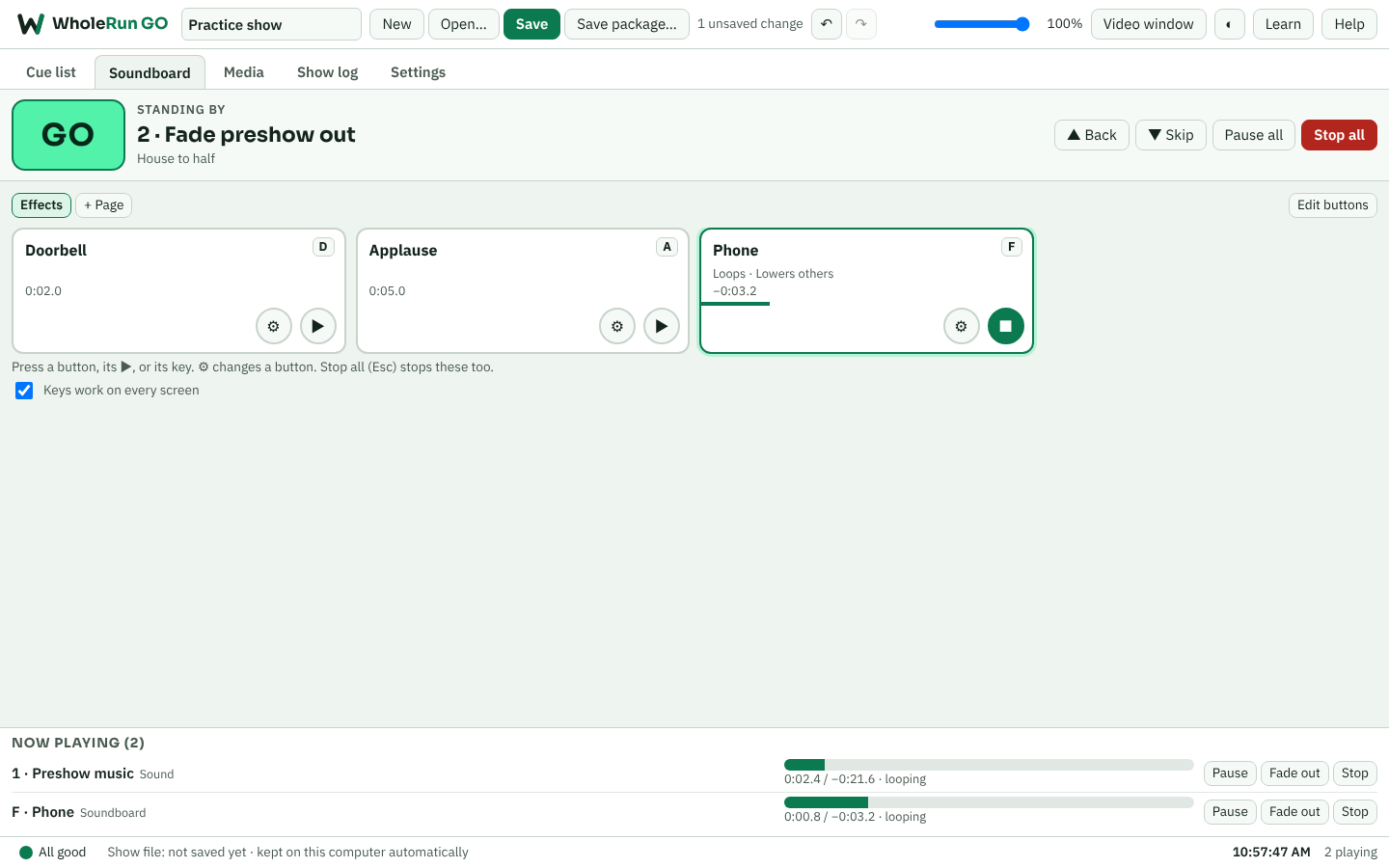
Every button shows its key and counts down while it plays. A phone ringing over music lowers the music, then brings it back.
Sound, video and soundboard playback for the show. Press GO on each call; GO does the fades, the follow-ons and the projector.
Introductory price: $24.99 until December 31, 2026, then $34.99
$34.99 in the Microsoft Store.
Free 7-day trial in the Microsoft Store.
The cue list, the soundboard, media, booth mode and the show log. The video has music and on-screen text, no narration.
The prompt book and production tool: script, blocking, cue sheets, calling mode, rehearsals, schedules, email and every report. You call the cues; WholeRun keeps your place. It doesn’t play sound or video.
Plays the show’s sound and video: a cue list with GO, a soundboard, playlists and video to the projector. It doesn’t do blocking, schedules or paperwork.
Each app is bought separately and works on its own. Use them together and GO brings in your sound and video cues from WholeRun, then sends its show log back to that night’s show report.
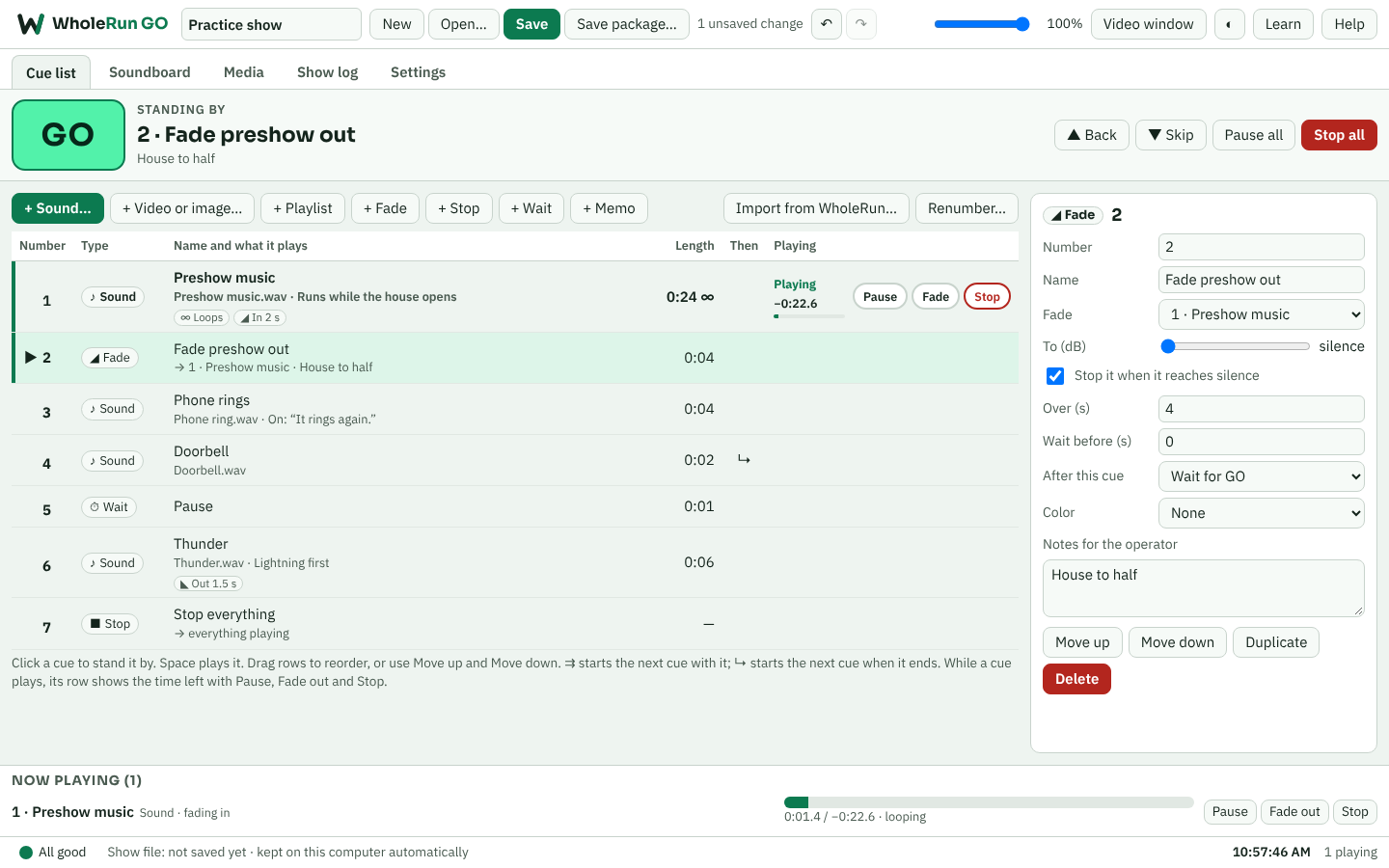
Space plays the standby cue, shown in big type. Fades, stops, waits, start and end points, loops and levels for every cue. Choose whether a sound still playing keeps going, fades out or stops when the next GO is pressed; each playing cue has its own Pause, Fade and Stop right in the list.
Start the next cue with this one, or when this one ends — a doorbell, then a knock, then music — without another GO.
Pages of buttons that play the moment you press them or their key: applause, a phone, a doorbell. Hold-to-play, loops, and buttons that lower everything else.
A video window for the projector or second screen, with full screen. Still images can come down by themselves.
Walk-in and intermission music with crossfades, shuffle and repeat.
If you also use WholeRun, bring in the sound and video cues from your prompt book in script order, then match the files by number or name. Send GO’s show log back to that night’s show report.
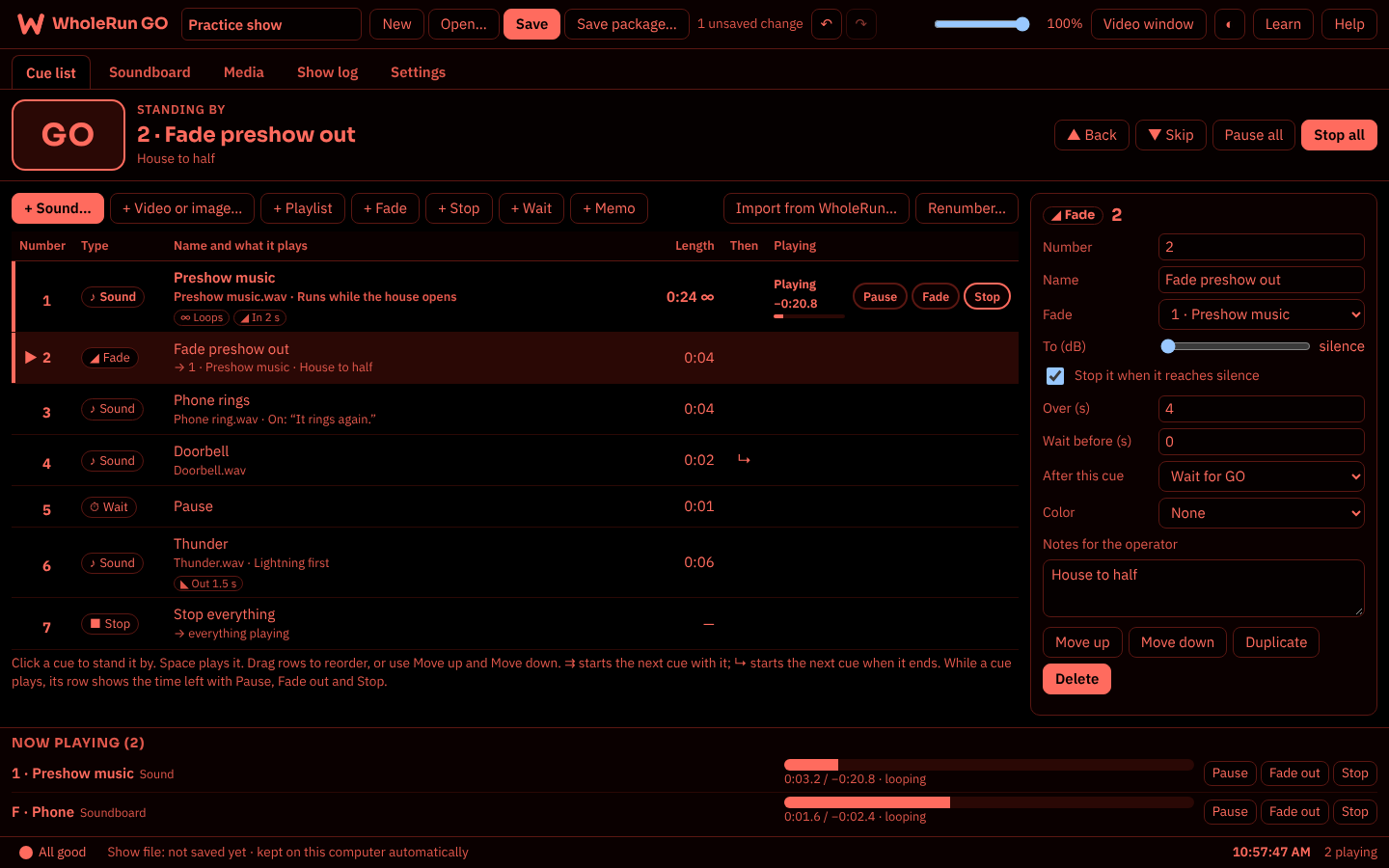
Stop all fades everything out; press it twice to stop at once. A second GO too soon is ignored. A dim red booth look. A health light warns in plain words if cue timing slips, the sound output drops or files go missing.
Your show and every file stay on your computer. Save a package to move the whole show to another computer.
Every control explains itself, works from the keyboard and reads clearly in light, dark and booth looks.
Every button shows its key and counts down while it plays. A phone ringing over music lowers the music, then brings it back.
The booth look is dim red, so it won’t spoil your night vision or spill light into the house.
Windows 10 or 11 from the Microsoft Store. It plays MP3, WAV, M4A, AAC and OGG sound, MP4 and WebM video, and PNG, JPG and GIF images. Choose your speakers or audio interface in Settings. No internet needed in the theatre.